



• Skip to primary navigation
  • Skip to main content
  • Skip to primary sidebar
Unslider

Unslider

Latest Tech News and Gadget Reviews

  • Home
  • Laptops
    • Gaming Laptop
    • Chromebooks
    • 2-in-1 Laptops
  • Gaming PC
  • Knowledge Hub
  • News
keycap in grass image

5 Most Stylish Keycaps for Your Mechanical Keyboard

Stylish keycaps, for that matter, are in-demand not just because they give your keyboard a sense of personalization, but also show your artistic side.

Read More

Most Read

array(5) {
  [0]=>
  array(4) {
    ["post_id"]=>
    string(1) "0"
    ["post_title"]=>
    string(9) "Home page"
    ["post_permalink"]=>
    string(21) "https://unslider.com/"
    ["views"]=>
    string(2) "49"
  }
  [1]=>
  array(4) {
    ["post_id"]=>
    string(3) "153"
    ["post_title"]=>
    string(0) ""
    ["post_permalink"]=>
    string(21) "https://unslider.com/"
    ["views"]=>
    string(2) "21"
  }
  [2]=>
  array(4) {
    ["post_id"]=>
    string(5) "11592"
    ["post_title"]=>
    string(50) "Best $600 Custom Gaming PC Build Better Than a PS5"
    ["post_permalink"]=>
    string(83) "https://unslider.com/buying-guide/best-600-custom-gaming-pc-build-better-than-a-ps5"
    ["views"]=>
    string(1) "7"
  }
  [3]=>
  array(4) {
    ["post_id"]=>
    string(5) "12993"
    ["post_title"]=>
    string(51) "All Display Panel Types | Ranked From Worst To Best"
    ["post_permalink"]=>
    string(51) "https://unslider.com/all-display-panel-types-ranked"
    ["views"]=>
    string(1) "4"
  }
  [4]=>
  array(4) {
    ["post_id"]=>
    string(4) "2404"
    ["post_title"]=>
    string(43) "How much does it Cost to Build a Gaming PC?"
    ["post_permalink"]=>
    string(64) "https://unslider.com/how-much-does-it-cost-to-build-a-gaming-pc/"
    ["views"]=>
    string(1) "2"
  }
}
object(WP_Post)#6059 (24) {
  ["ID"]=>
  int(153)
  ["post_author"]=>
  string(1) "1"
  ["post_date"]=>
  string(19) "2020-09-07 14:22:04"
  ["post_date_gmt"]=>
  string(19) "2020-09-07 14:22:04"
  ["post_content"]=>
  string(18433) "[tcb_post_list query="{'filter':'custom','related':|{||}|,'post_type':'post','orderby':'date','order':'DESC','posts_per_page':'1','offset':'1','no_posts_text':'There are no posts to display.','exclude_current_post':|{|'1'|}|,'rules':|{||}|}" type="list" columns-d="1" columns-t="1" columns-m="1" vertical-space-d="50" horizontal-space-d="20" ct="post_list-44469" ct-name="Image & text 19" tcb-elem-type="post_list" pagination-type="none" pages_near_current="2" element-name="Post List" css="tve-u-17f375e6d2f" vertical-space-m="40" total_post_count="136" total_sticky_count="0" posts_per_page="1" featured-content="0" no_posts_text="" featured-list="tve-u-17f375fe7b5"  class='' ][tcb_post_list_dynamic_style]@media (min-width: 300px){[].tcb-post-list #post-[tcb_the_id] []{background-image: url("[tcb_featured_image_url size=large]") !important;}[].tcb-post-list #post-[tcb_the_id] []:hover []{background-image: linear-gradient(rgba(0, 143, 255, 0.1), rgba(0, 143, 255, 0.1)), url("[tcb_featured_image_url size=large]") !important;}[].tcb-post-list #post-[tcb_the_id] []{background-image: linear-gradient(rgba(0, 0, 0, 0.5), rgba(0, 0, 0, 0.5)), url("[tcb_featured_image_url size=medium]") !important;}[].tcb-post-list #post-[tcb_the_id] []:hover []{background-image: linear-gradient(rgba(0, 0, 0, 0.4), rgba(0, 0, 0, 0.4)), url("[tcb_featured_image_url size=large]") !important;}[].tcb-post-list #post-[tcb_the_id] []{background-image: url("[tcb_featured_image_url size=large]") !important;}[].tcb-post-list #post-[tcb_the_id] []{background-image: linear-gradient(rgba(255, 255, 255, 0.2), rgba(255, 255, 255, 0.2)), url("[tcb_featured_image_url size=full]") !important;}}[/tcb_post_list_dynamic_style][/tcb_post_list][tcb_post_list query="{'paged':1,'filter':'custom','post_type':|{|'post'|}|,'related':|{||}|,'orderby':'date','order':'DESC','posts_per_page':'1','offset':'1','no_posts_text':'There are no posts to display.','exclude_current_post':|{||}|,'queried_object':{'ID':153,'post_author':'1','post_type':'page'},'sticky':|{||}|,'rules':|{||}|}" type="list" columns-d="1" columns-t="1" columns-m="1" vertical-space-d="30" horizontal-space-d="30" ct="post_list_featured-54251" ct-name="Featured List 01" tcb-elem-type="post_list" pagination-type="none" pages_near_current="2" element-name="Featured Content List" css="tve-u-17f8653aeba" no_posts_text="" total_post_count="136" total_sticky_count="0" posts_per_page="1" featured-content="0"  class='tcb-featured-list tve-draggable  tve-droppable' ][tcb_post_list_dynamic_style]@media (min-width: 300px){[].tcb-post-list #post-[tcb_the_id] []{background-image: url("[tcb_featured_image_url size=large]") !important;}[].tcb-post-list #post-[tcb_the_id] []:hover []{background-image: linear-gradient(rgba(0, 143, 255, 0.1), rgba(0, 143, 255, 0.1)), url("[tcb_featured_image_url size=large]") !important;}[].tcb-post-list #post-[tcb_the_id] []{background-image: linear-gradient(rgba(0, 0, 0, 0.5), rgba(0, 0, 0, 0.5)), url("[tcb_featured_image_url size=medium]") !important;}[].tcb-post-list #post-[tcb_the_id] []:hover []{background-image: linear-gradient(rgba(0, 0, 0, 0.4), rgba(0, 0, 0, 0.4)), url("[tcb_featured_image_url size=large]") !important;}[].tcb-post-list #post-[tcb_the_id] []{background-image: url("[tcb_featured_image_url size=large]") !important;}[].tcb-post-list #post-[tcb_the_id] []{background-image: linear-gradient(rgba(255, 255, 255, 0.2), rgba(255, 255, 255, 0.2)), url("[tcb_featured_image_url size=full]") !important;}}[/tcb_post_list_dynamic_style][tcb_post_categories link='1'][tcb_post_published_date type='published' tag='span' link='none' css='tve-u-17f8653aec6' date-format='F j, Y' time-format='g:i a' date='March 13, 2022 8:28 pm'][tcb_post_title css='tve-u-17f8653aec7'][tcb_post_content size='excerpt' read_more='' words='12' css='tve-u-17f8653aec8']                    View More[/tcb_post_list][tcb_post_list query="{'paged':1,'filter':'custom','post_type':|{|'post'|}|,'related':|{||}|,'orderby':'date','order':'DESC','posts_per_page':'4','offset':'1','no_posts_text':'There are no posts to display.','exclude_current_post':|{||}|,'queried_object':{'ID':153,'post_author':'1','post_type':'page'},'sticky':|{||}|,'rules':|{||}|}" type="grid" columns-d="2" columns-t="2" columns-m="1" vertical-space-d="20" horizontal-space-d="20" ct="post_list-43456" ct-name="Image & Text 08" tcb-elem-type="post_list" pagination-type="none" pages_near_current="2" css="tve-u-17f864cf5a2" article-tcb_hover_state_parent="" element-name="Post List" total_post_count="135" total_sticky_count="0" posts_per_page="4" featured-content="1" disabled-links="1" no_posts_text="" vertical-space-m="15" horizontal-space-m="0" horizontal-space-t="15" vertical-space-t="15" featured-list="tve-u-17f8653aeba"  class='' article-tcb_hover_state_parent='' ][tcb_post_list_dynamic_style]@media (min-width: 300px){[].tcb-post-list #post-[tcb_the_id] []{background-image: url("[tcb_featured_image_url size=large]") !important;}[].tcb-post-list #post-[tcb_the_id] []:hover []{background-image: linear-gradient(rgba(0, 143, 255, 0.1), rgba(0, 143, 255, 0.1)), url("[tcb_featured_image_url size=large]") !important;}[].tcb-post-list #post-[tcb_the_id] []{background-image: linear-gradient(rgba(0, 0, 0, 0.5), rgba(0, 0, 0, 0.5)), url("[tcb_featured_image_url size=medium]") !important;}[].tcb-post-list #post-[tcb_the_id] []:hover []{background-image: linear-gradient(rgba(0, 0, 0, 0.4), rgba(0, 0, 0, 0.4)), url("[tcb_featured_image_url size=large]") !important;}[].tcb-post-list #post-[tcb_the_id] []{background-image: url("[tcb_featured_image_url size=large]") !important;}[].tcb-post-list #post-[tcb_the_id] []{background-image: linear-gradient(rgba(255, 255, 255, 0.2), rgba(255, 255, 255, 0.2)), url("[tcb_featured_image_url size=full]") !important;}}[/tcb_post_list_dynamic_style]

[tcb_post_categories link='1' target='0' rel='0' inline='1' static-link='{"className":"tve-froala fr-basic","href":"https://unslider.com/gaming-laptop/","title":"Gaming Laptop","class":"tve-froala fr-basic"}' css='']

[tcb_post_title link='1' target='0' rel='0' inline='1' static-link='{"className":"tve-froala fr-basic","href":"https://unslider.com/best-gaming-laptops-under-1000/","title":"Best Gaming Laptops under $1,000 in 2022","class":"tve-froala fr-basic"}' css='']

[tcb_post_content size='words' read_more='' words='22' css='tve-u-17f864cf5b0']Read More[/tcb_post_list]

Latest Tech News

[tcb_post_list query="{'paged':1,'filter':'custom','post_type':|{|'post'|}|,'related':|{||}|,'orderby':'date','order':'DESC','posts_per_page':'9','offset':'1','no_posts_text':'There are no posts to display.','exclude_current_post':|{||}|,'queried_object':{'ID':153,'post_author':'1','post_type':'page'},'sticky':|{||}|,'rules':|{|{'taxonomy':'category','terms':|{|'15'|}|,'operator':'IN'}|}|}" type="grid" columns-d="3" columns-t="2" columns-m="1" vertical-space-d="30" horizontal-space-d="30" ct="post_list-43425" ct-name="Text Only 04" tcb-elem-type="post_list" pagination-type="none" pages_near_current="2" css="tve-u-17bef186403" horizontal-space-t="20" vertical-space-t="20" horizontal-space-m="0" article-tcb_hover_state_parent="" element-name="Post List" total_post_count="9" total_sticky_count="0" posts_per_page="9" featured-content="0" disabled-links="1" no_posts_text="" class='' article-tcb_hover_state_parent='' ][tcb_post_list_dynamic_style]@media (min-width: 300px){[].tcb-post-list #post-[tcb_the_id] []{background-image: url("[tcb_featured_image_url size=large]") !important;}[].tcb-post-list #post-[tcb_the_id] []:hover []{background-image: linear-gradient(rgba(0, 143, 255, 0.1), rgba(0, 143, 255, 0.1)), url("[tcb_featured_image_url size=large]") !important;}[].tcb-post-list #post-[tcb_the_id] []{background-image: linear-gradient(rgba(0, 0, 0, 0.5), rgba(0, 0, 0, 0.5)), url("[tcb_featured_image_url size=medium]") !important;}[].tcb-post-list #post-[tcb_the_id] []:hover []{background-image: linear-gradient(rgba(0, 0, 0, 0.4), rgba(0, 0, 0, 0.4)), url("[tcb_featured_image_url size=large]") !important;}[].tcb-post-list #post-[tcb_the_id] []{background-image: url("[tcb_featured_image_url size=large]") !important;}[].tcb-post-list #post-[tcb_the_id] []{background-image: linear-gradient(rgba(255, 255, 255, 0.2), rgba(255, 255, 255, 0.2)), url("[tcb_featured_image_url size=full]") !important;}}[/tcb_post_list_dynamic_style]

[tcb_post_title link='1' target='0' rel='0' inline='1' static-link='{"className":"tve-froala fr-basic","href":"https://unslider.com/lenovo-tab12-pro/","title":"How does the Lenovo Tab12 Pro change the Odds for Tablet-PCs?","class":"tve-froala fr-basic"}' css='']

Read Now[/tcb_post_list][tcb_post_list query="{'paged':1,'filter':'custom','post_type':|{|'post'|}|,'related':|{||}|,'orderby':'date','order':'DESC','posts_per_page':'1','offset':'1','no_posts_text':'There are no posts to display.','exclude_current_post':|{||}|,'queried_object':{'ID':153,'post_author':'1','post_type':'page'},'sticky':|{||}|,'rules':|{|{'taxonomy':'post','terms':|{|'250'|}|,'operator':'IN'}|}|}" type="list" columns-d="1" columns-t="1" columns-m="1" vertical-space-d="30" horizontal-space-d="30" ct="post_list-44441" ct-name="Image and text 16" tcb-elem-type="post_list" pagination-type="none" pages_near_current="2" element-name="Post List" css="tve-u-17892b3790a" article-tcb_hover_state_parent="" total_post_count="1" total_sticky_count="0" posts_per_page="1" featured-content="0" no_posts_text="" class='' article-tcb_hover_state_parent='' ][tcb_post_list_dynamic_style]@media (min-width: 300px){[].tcb-post-list #post-[tcb_the_id] []{background-image: url("[tcb_featured_image_url size=large]") !important;}[].tcb-post-list #post-[tcb_the_id] []:hover []{background-image: linear-gradient(rgba(0, 143, 255, 0.1), rgba(0, 143, 255, 0.1)), url("[tcb_featured_image_url size=large]") !important;}[].tcb-post-list #post-[tcb_the_id] []{background-image: linear-gradient(rgba(0, 0, 0, 0.5), rgba(0, 0, 0, 0.5)), url("[tcb_featured_image_url size=medium]") !important;}[].tcb-post-list #post-[tcb_the_id] []:hover []{background-image: linear-gradient(rgba(0, 0, 0, 0.4), rgba(0, 0, 0, 0.4)), url("[tcb_featured_image_url size=large]") !important;}[].tcb-post-list #post-[tcb_the_id] []{background-image: url("[tcb_featured_image_url size=large]") !important;}[].tcb-post-list #post-[tcb_the_id] []{background-image: linear-gradient(rgba(255, 255, 255, 0.2), rgba(255, 255, 255, 0.2)), url("[tcb_featured_image_url size=full]") !important;}}[/tcb_post_list_dynamic_style]

[tcb_post_categories link='1' rel='0' target='0' inline='1' static-link='{"className":"tve-froala fr-basic","href":"https://unslider.com/laptops/","title":"Laptops","data-css":"tve-u-17892b37915","class":"tve-froala fr-basic"}' css='tve-u-17892b37915' link-css-attr="tve-u-17892b37915"]

[tcb_post_published_date css='' date-format='F j, Y' date-format-select='F j, Y' link='1' rel='0' show-time='0' target='0' time-format='' time-format-select='g:i a' type='published' inline='1' static-link='{"className":"tve-froala","href":"https://unslider.com/2020/09/","title":"September 9, 2020 ","class":"tve-froala"}']

[tcb_post_title link='1' rel='0' target='0' inline='1' css='' static-link='{"className":"tve-froala","href":"https://unslider.com/laptop-buying-guides/","title":"Laptop Buying Guide: Read, Analyze, and Buy In 2022","class":"tve-froala"}']

[tcb_post_content size='words' read_more='' words='12' css='tve-u-17892b3791e'][/tcb_post_list]

BEST LAPTOPS

[tcb_post_list query="{'paged':1,'filter':'custom','post_type':|{|'post'|}|,'related':|{||}|,'orderby':'date','order':'DESC','posts_per_page':'6','offset':'1','no_posts_text':'There are no posts to display.','exclude_current_post':|{||}|,'queried_object':{'ID':153,'post_author':'1','post_type':'page'},'sticky':|{||}|,'rules':|{|{'taxonomy':'post','terms':|{|'219','1102','606','587','560','517','1211'|}|,'operator':'IN'}|}|}" type="grid" columns-d="3" columns-t="2" columns-m="1" vertical-space-d="45" horizontal-space-d="45" ct="post_list-43428" ct-name="Image & Text 02" tcb-elem-type="post_list" pagination-type="none" pages_near_current="2" element-name="Post List" css="tve-u-17892b5dc4d" vertical-space-m="20" total_post_count="7" total_sticky_count="0" posts_per_page="6" featured-content="0" disabled-links="0" article-tcb_hover_state_parent="" no_posts_text="" class='' article-tcb_hover_state_parent='' article-class='tve_evt_manager_listen tve_ea_thrive_animation tve_et_mouseover tve_anim_grow' ][tcb_post_list_dynamic_style]@media (min-width: 300px){[].tcb-post-list #post-[tcb_the_id] []{background-image: url("[tcb_featured_image_url size=large]") !important;}[].tcb-post-list #post-[tcb_the_id] []:hover []{background-image: linear-gradient(rgba(0, 143, 255, 0.1), rgba(0, 143, 255, 0.1)), url("[tcb_featured_image_url size=large]") !important;}[].tcb-post-list #post-[tcb_the_id] []{background-image: linear-gradient(rgba(0, 0, 0, 0.5), rgba(0, 0, 0, 0.5)), url("[tcb_featured_image_url size=medium]") !important;}[].tcb-post-list #post-[tcb_the_id] []:hover []{background-image: linear-gradient(rgba(0, 0, 0, 0.4), rgba(0, 0, 0, 0.4)), url("[tcb_featured_image_url size=large]") !important;}[].tcb-post-list #post-[tcb_the_id] []{background-image: url("[tcb_featured_image_url size=large]") !important;}[].tcb-post-list #post-[tcb_the_id] []{background-image: linear-gradient(rgba(255, 255, 255, 0.2), rgba(255, 255, 255, 0.2)), url("[tcb_featured_image_url size=full]") !important;}}[/tcb_post_list_dynamic_style]

[tcb_post_title css='' link='1' rel='0' target='0' inline='1' static-link='{"className":"tve-froala fr-basic tcb-local-vars-root","href":"https://unslider.com/best-laptops-under-300/","title":"Best Laptops under $300 In 2022: Comparison & Reviews","class":"tve-froala fr-basic tcb-local-vars-root"}']

Read More[/tcb_post_list]

Like theFacebook Page

Our supportive online community is the best place to connect with others just like you.

" ["post_title"]=> string(0) "" ["post_excerpt"]=> string(0) "" ["post_status"]=> string(7) "publish" ["comment_status"]=> string(6) "closed" ["ping_status"]=> string(6) "closed" ["post_password"]=> string(0) "" ["post_name"]=> string(8) "homepage" ["to_ping"]=> string(0) "" ["pinged"]=> string(0) "" ["post_modified"]=> string(19) "2022-03-15 08:33:19" ["post_modified_gmt"]=> string(19) "2022-03-15 12:33:19" ["post_content_filtered"]=> string(0) "" ["post_parent"]=> int(0) ["guid"]=> string(42) "https://unslider.wpengine.com/?page_id=153" ["menu_order"]=> int(0) ["post_type"]=> string(4) "page" ["post_mime_type"]=> string(10) "image/jpeg" ["comment_count"]=> string(1) "0" ["filter"]=> string(3) "raw" }
object(WP_Post)#6312 (24) {
  ["ID"]=>
  int(153)
  ["post_author"]=>
  string(1) "1"
  ["post_date"]=>
  string(19) "2020-09-07 14:22:04"
  ["post_date_gmt"]=>
  string(19) "2020-09-07 14:22:04"
  ["post_content"]=>
  string(18433) "[tcb_post_list query="{'filter':'custom','related':|{||}|,'post_type':'post','orderby':'date','order':'DESC','posts_per_page':'1','offset':'1','no_posts_text':'There are no posts to display.','exclude_current_post':|{|'1'|}|,'rules':|{||}|}" type="list" columns-d="1" columns-t="1" columns-m="1" vertical-space-d="50" horizontal-space-d="20" ct="post_list-44469" ct-name="Image & text 19" tcb-elem-type="post_list" pagination-type="none" pages_near_current="2" element-name="Post List" css="tve-u-17f375e6d2f" vertical-space-m="40" total_post_count="136" total_sticky_count="0" posts_per_page="1" featured-content="0" no_posts_text="" featured-list="tve-u-17f375fe7b5"  class='' ][tcb_post_list_dynamic_style]@media (min-width: 300px){[].tcb-post-list #post-[tcb_the_id] []{background-image: url("[tcb_featured_image_url size=large]") !important;}[].tcb-post-list #post-[tcb_the_id] []:hover []{background-image: linear-gradient(rgba(0, 143, 255, 0.1), rgba(0, 143, 255, 0.1)), url("[tcb_featured_image_url size=large]") !important;}[].tcb-post-list #post-[tcb_the_id] []{background-image: linear-gradient(rgba(0, 0, 0, 0.5), rgba(0, 0, 0, 0.5)), url("[tcb_featured_image_url size=medium]") !important;}[].tcb-post-list #post-[tcb_the_id] []:hover []{background-image: linear-gradient(rgba(0, 0, 0, 0.4), rgba(0, 0, 0, 0.4)), url("[tcb_featured_image_url size=large]") !important;}[].tcb-post-list #post-[tcb_the_id] []{background-image: url("[tcb_featured_image_url size=large]") !important;}[].tcb-post-list #post-[tcb_the_id] []{background-image: linear-gradient(rgba(255, 255, 255, 0.2), rgba(255, 255, 255, 0.2)), url("[tcb_featured_image_url size=full]") !important;}}[/tcb_post_list_dynamic_style][/tcb_post_list][tcb_post_list query="{'paged':1,'filter':'custom','post_type':|{|'post'|}|,'related':|{||}|,'orderby':'date','order':'DESC','posts_per_page':'1','offset':'1','no_posts_text':'There are no posts to display.','exclude_current_post':|{||}|,'queried_object':{'ID':153,'post_author':'1','post_type':'page'},'sticky':|{||}|,'rules':|{||}|}" type="list" columns-d="1" columns-t="1" columns-m="1" vertical-space-d="30" horizontal-space-d="30" ct="post_list_featured-54251" ct-name="Featured List 01" tcb-elem-type="post_list" pagination-type="none" pages_near_current="2" element-name="Featured Content List" css="tve-u-17f8653aeba" no_posts_text="" total_post_count="136" total_sticky_count="0" posts_per_page="1" featured-content="0"  class='tcb-featured-list tve-draggable  tve-droppable' ][tcb_post_list_dynamic_style]@media (min-width: 300px){[].tcb-post-list #post-[tcb_the_id] []{background-image: url("[tcb_featured_image_url size=large]") !important;}[].tcb-post-list #post-[tcb_the_id] []:hover []{background-image: linear-gradient(rgba(0, 143, 255, 0.1), rgba(0, 143, 255, 0.1)), url("[tcb_featured_image_url size=large]") !important;}[].tcb-post-list #post-[tcb_the_id] []{background-image: linear-gradient(rgba(0, 0, 0, 0.5), rgba(0, 0, 0, 0.5)), url("[tcb_featured_image_url size=medium]") !important;}[].tcb-post-list #post-[tcb_the_id] []:hover []{background-image: linear-gradient(rgba(0, 0, 0, 0.4), rgba(0, 0, 0, 0.4)), url("[tcb_featured_image_url size=large]") !important;}[].tcb-post-list #post-[tcb_the_id] []{background-image: url("[tcb_featured_image_url size=large]") !important;}[].tcb-post-list #post-[tcb_the_id] []{background-image: linear-gradient(rgba(255, 255, 255, 0.2), rgba(255, 255, 255, 0.2)), url("[tcb_featured_image_url size=full]") !important;}}[/tcb_post_list_dynamic_style][tcb_post_categories link='1'][tcb_post_published_date type='published' tag='span' link='none' css='tve-u-17f8653aec6' date-format='F j, Y' time-format='g:i a' date='March 13, 2022 8:28 pm'][tcb_post_title css='tve-u-17f8653aec7'][tcb_post_content size='excerpt' read_more='' words='12' css='tve-u-17f8653aec8']                    View More[/tcb_post_list][tcb_post_list query="{'paged':1,'filter':'custom','post_type':|{|'post'|}|,'related':|{||}|,'orderby':'date','order':'DESC','posts_per_page':'4','offset':'1','no_posts_text':'There are no posts to display.','exclude_current_post':|{||}|,'queried_object':{'ID':153,'post_author':'1','post_type':'page'},'sticky':|{||}|,'rules':|{||}|}" type="grid" columns-d="2" columns-t="2" columns-m="1" vertical-space-d="20" horizontal-space-d="20" ct="post_list-43456" ct-name="Image & Text 08" tcb-elem-type="post_list" pagination-type="none" pages_near_current="2" css="tve-u-17f864cf5a2" article-tcb_hover_state_parent="" element-name="Post List" total_post_count="135" total_sticky_count="0" posts_per_page="4" featured-content="1" disabled-links="1" no_posts_text="" vertical-space-m="15" horizontal-space-m="0" horizontal-space-t="15" vertical-space-t="15" featured-list="tve-u-17f8653aeba"  class='' article-tcb_hover_state_parent='' ][tcb_post_list_dynamic_style]@media (min-width: 300px){[].tcb-post-list #post-[tcb_the_id] []{background-image: url("[tcb_featured_image_url size=large]") !important;}[].tcb-post-list #post-[tcb_the_id] []:hover []{background-image: linear-gradient(rgba(0, 143, 255, 0.1), rgba(0, 143, 255, 0.1)), url("[tcb_featured_image_url size=large]") !important;}[].tcb-post-list #post-[tcb_the_id] []{background-image: linear-gradient(rgba(0, 0, 0, 0.5), rgba(0, 0, 0, 0.5)), url("[tcb_featured_image_url size=medium]") !important;}[].tcb-post-list #post-[tcb_the_id] []:hover []{background-image: linear-gradient(rgba(0, 0, 0, 0.4), rgba(0, 0, 0, 0.4)), url("[tcb_featured_image_url size=large]") !important;}[].tcb-post-list #post-[tcb_the_id] []{background-image: url("[tcb_featured_image_url size=large]") !important;}[].tcb-post-list #post-[tcb_the_id] []{background-image: linear-gradient(rgba(255, 255, 255, 0.2), rgba(255, 255, 255, 0.2)), url("[tcb_featured_image_url size=full]") !important;}}[/tcb_post_list_dynamic_style]

[tcb_post_categories link='1' target='0' rel='0' inline='1' static-link='{"className":"tve-froala fr-basic","href":"https://unslider.com/gaming-laptop/","title":"Gaming Laptop","class":"tve-froala fr-basic"}' css='']

[tcb_post_title link='1' target='0' rel='0' inline='1' static-link='{"className":"tve-froala fr-basic","href":"https://unslider.com/best-gaming-laptops-under-1000/","title":"Best Gaming Laptops under $1,000 in 2022","class":"tve-froala fr-basic"}' css='']

[tcb_post_content size='words' read_more='' words='22' css='tve-u-17f864cf5b0']Read More[/tcb_post_list]

Latest Tech News

[tcb_post_list query="{'paged':1,'filter':'custom','post_type':|{|'post'|}|,'related':|{||}|,'orderby':'date','order':'DESC','posts_per_page':'9','offset':'1','no_posts_text':'There are no posts to display.','exclude_current_post':|{||}|,'queried_object':{'ID':153,'post_author':'1','post_type':'page'},'sticky':|{||}|,'rules':|{|{'taxonomy':'category','terms':|{|'15'|}|,'operator':'IN'}|}|}" type="grid" columns-d="3" columns-t="2" columns-m="1" vertical-space-d="30" horizontal-space-d="30" ct="post_list-43425" ct-name="Text Only 04" tcb-elem-type="post_list" pagination-type="none" pages_near_current="2" css="tve-u-17bef186403" horizontal-space-t="20" vertical-space-t="20" horizontal-space-m="0" article-tcb_hover_state_parent="" element-name="Post List" total_post_count="9" total_sticky_count="0" posts_per_page="9" featured-content="0" disabled-links="1" no_posts_text="" class='' article-tcb_hover_state_parent='' ][tcb_post_list_dynamic_style]@media (min-width: 300px){[].tcb-post-list #post-[tcb_the_id] []{background-image: url("[tcb_featured_image_url size=large]") !important;}[].tcb-post-list #post-[tcb_the_id] []:hover []{background-image: linear-gradient(rgba(0, 143, 255, 0.1), rgba(0, 143, 255, 0.1)), url("[tcb_featured_image_url size=large]") !important;}[].tcb-post-list #post-[tcb_the_id] []{background-image: linear-gradient(rgba(0, 0, 0, 0.5), rgba(0, 0, 0, 0.5)), url("[tcb_featured_image_url size=medium]") !important;}[].tcb-post-list #post-[tcb_the_id] []:hover []{background-image: linear-gradient(rgba(0, 0, 0, 0.4), rgba(0, 0, 0, 0.4)), url("[tcb_featured_image_url size=large]") !important;}[].tcb-post-list #post-[tcb_the_id] []{background-image: url("[tcb_featured_image_url size=large]") !important;}[].tcb-post-list #post-[tcb_the_id] []{background-image: linear-gradient(rgba(255, 255, 255, 0.2), rgba(255, 255, 255, 0.2)), url("[tcb_featured_image_url size=full]") !important;}}[/tcb_post_list_dynamic_style]

[tcb_post_title link='1' target='0' rel='0' inline='1' static-link='{"className":"tve-froala fr-basic","href":"https://unslider.com/lenovo-tab12-pro/","title":"How does the Lenovo Tab12 Pro change the Odds for Tablet-PCs?","class":"tve-froala fr-basic"}' css='']

Read Now[/tcb_post_list][tcb_post_list query="{'paged':1,'filter':'custom','post_type':|{|'post'|}|,'related':|{||}|,'orderby':'date','order':'DESC','posts_per_page':'1','offset':'1','no_posts_text':'There are no posts to display.','exclude_current_post':|{||}|,'queried_object':{'ID':153,'post_author':'1','post_type':'page'},'sticky':|{||}|,'rules':|{|{'taxonomy':'post','terms':|{|'250'|}|,'operator':'IN'}|}|}" type="list" columns-d="1" columns-t="1" columns-m="1" vertical-space-d="30" horizontal-space-d="30" ct="post_list-44441" ct-name="Image and text 16" tcb-elem-type="post_list" pagination-type="none" pages_near_current="2" element-name="Post List" css="tve-u-17892b3790a" article-tcb_hover_state_parent="" total_post_count="1" total_sticky_count="0" posts_per_page="1" featured-content="0" no_posts_text="" class='' article-tcb_hover_state_parent='' ][tcb_post_list_dynamic_style]@media (min-width: 300px){[].tcb-post-list #post-[tcb_the_id] []{background-image: url("[tcb_featured_image_url size=large]") !important;}[].tcb-post-list #post-[tcb_the_id] []:hover []{background-image: linear-gradient(rgba(0, 143, 255, 0.1), rgba(0, 143, 255, 0.1)), url("[tcb_featured_image_url size=large]") !important;}[].tcb-post-list #post-[tcb_the_id] []{background-image: linear-gradient(rgba(0, 0, 0, 0.5), rgba(0, 0, 0, 0.5)), url("[tcb_featured_image_url size=medium]") !important;}[].tcb-post-list #post-[tcb_the_id] []:hover []{background-image: linear-gradient(rgba(0, 0, 0, 0.4), rgba(0, 0, 0, 0.4)), url("[tcb_featured_image_url size=large]") !important;}[].tcb-post-list #post-[tcb_the_id] []{background-image: url("[tcb_featured_image_url size=large]") !important;}[].tcb-post-list #post-[tcb_the_id] []{background-image: linear-gradient(rgba(255, 255, 255, 0.2), rgba(255, 255, 255, 0.2)), url("[tcb_featured_image_url size=full]") !important;}}[/tcb_post_list_dynamic_style]

[tcb_post_categories link='1' rel='0' target='0' inline='1' static-link='{"className":"tve-froala fr-basic","href":"https://unslider.com/laptops/","title":"Laptops","data-css":"tve-u-17892b37915","class":"tve-froala fr-basic"}' css='tve-u-17892b37915' link-css-attr="tve-u-17892b37915"]

[tcb_post_published_date css='' date-format='F j, Y' date-format-select='F j, Y' link='1' rel='0' show-time='0' target='0' time-format='' time-format-select='g:i a' type='published' inline='1' static-link='{"className":"tve-froala","href":"https://unslider.com/2020/09/","title":"September 9, 2020 ","class":"tve-froala"}']

[tcb_post_title link='1' rel='0' target='0' inline='1' css='' static-link='{"className":"tve-froala","href":"https://unslider.com/laptop-buying-guides/","title":"Laptop Buying Guide: Read, Analyze, and Buy In 2022","class":"tve-froala"}']

[tcb_post_content size='words' read_more='' words='12' css='tve-u-17892b3791e'][/tcb_post_list]

BEST LAPTOPS

[tcb_post_list query="{'paged':1,'filter':'custom','post_type':|{|'post'|}|,'related':|{||}|,'orderby':'date','order':'DESC','posts_per_page':'6','offset':'1','no_posts_text':'There are no posts to display.','exclude_current_post':|{||}|,'queried_object':{'ID':153,'post_author':'1','post_type':'page'},'sticky':|{||}|,'rules':|{|{'taxonomy':'post','terms':|{|'219','1102','606','587','560','517','1211'|}|,'operator':'IN'}|}|}" type="grid" columns-d="3" columns-t="2" columns-m="1" vertical-space-d="45" horizontal-space-d="45" ct="post_list-43428" ct-name="Image & Text 02" tcb-elem-type="post_list" pagination-type="none" pages_near_current="2" element-name="Post List" css="tve-u-17892b5dc4d" vertical-space-m="20" total_post_count="7" total_sticky_count="0" posts_per_page="6" featured-content="0" disabled-links="0" article-tcb_hover_state_parent="" no_posts_text="" class='' article-tcb_hover_state_parent='' article-class='tve_evt_manager_listen tve_ea_thrive_animation tve_et_mouseover tve_anim_grow' ][tcb_post_list_dynamic_style]@media (min-width: 300px){[].tcb-post-list #post-[tcb_the_id] []{background-image: url("[tcb_featured_image_url size=large]") !important;}[].tcb-post-list #post-[tcb_the_id] []:hover []{background-image: linear-gradient(rgba(0, 143, 255, 0.1), rgba(0, 143, 255, 0.1)), url("[tcb_featured_image_url size=large]") !important;}[].tcb-post-list #post-[tcb_the_id] []{background-image: linear-gradient(rgba(0, 0, 0, 0.5), rgba(0, 0, 0, 0.5)), url("[tcb_featured_image_url size=medium]") !important;}[].tcb-post-list #post-[tcb_the_id] []:hover []{background-image: linear-gradient(rgba(0, 0, 0, 0.4), rgba(0, 0, 0, 0.4)), url("[tcb_featured_image_url size=large]") !important;}[].tcb-post-list #post-[tcb_the_id] []{background-image: url("[tcb_featured_image_url size=large]") !important;}[].tcb-post-list #post-[tcb_the_id] []{background-image: linear-gradient(rgba(255, 255, 255, 0.2), rgba(255, 255, 255, 0.2)), url("[tcb_featured_image_url size=full]") !important;}}[/tcb_post_list_dynamic_style]

[tcb_post_title css='' link='1' rel='0' target='0' inline='1' static-link='{"className":"tve-froala fr-basic tcb-local-vars-root","href":"https://unslider.com/best-laptops-under-300/","title":"Best Laptops under $300 In 2022: Comparison & Reviews","class":"tve-froala fr-basic tcb-local-vars-root"}']

Read More[/tcb_post_list]

Like theFacebook Page

Our supportive online community is the best place to connect with others just like you.

" ["post_title"]=> string(0) "" ["post_excerpt"]=> string(0) "" ["post_status"]=> string(7) "publish" ["comment_status"]=> string(6) "closed" ["ping_status"]=> string(6) "closed" ["post_password"]=> string(0) "" ["post_name"]=> string(8) "homepage" ["to_ping"]=> string(0) "" ["pinged"]=> string(0) "" ["post_modified"]=> string(19) "2022-03-15 08:33:19" ["post_modified_gmt"]=> string(19) "2022-03-15 12:33:19" ["post_content_filtered"]=> string(0) "" ["post_parent"]=> int(0) ["guid"]=> string(42) "https://unslider.wpengine.com/?page_id=153" ["menu_order"]=> int(0) ["post_type"]=> string(4) "page" ["post_mime_type"]=> string(10) "image/jpeg" ["comment_count"]=> string(1) "0" ["filter"]=> string(3) "raw" }
object(WP_Post)#6313 (24) {
  ["ID"]=>
  int(11592)
  ["post_author"]=>
  string(2) "14"
  ["post_date"]=>
  string(19) "2023-04-02 12:00:00"
  ["post_date_gmt"]=>
  string(19) "2023-04-02 16:00:00"
  ["post_content"]=>
  string(1473) "

The PlayStation 5 or PS5 is one of the most popular gaming devices these days and back when it was released, the prices were so bloated, people were forced to compare them to gaming PC prices. Now, the PS5 is back to its normal retail of $500 and it beats a custom gaming PC build at the same price.

But if you add a hundred dollars more, you might just get a better gaming experience, because a $600 gaming PC (rounded down), offers higher framerates and sharper visuals.

That's what we set out to do; a $600 custom gaming PC build that beats out the PS5. And while it's technically more expensive, you can expect better 4K performance, better visuals, and more functionality beyond gaming. It's no console killer, of course, but it's pretty close.

Do note that the price here went over $600 to give a bit of luxury like a prettier PC case though if you don't mind a blander look, you can always get a less aesthetically-pleasing PC case to lower the price further. Moreover, the $600 budget doesn't cover the monitor and peripherals.

RELATED: Best $800 Custom PC Build in 2022

" ["post_title"]=> string(50) "Best $600 Custom Gaming PC Build Better Than a PS5" ["post_excerpt"]=> string(158) "We set out for a $600 custom gaming PC build that beats the PS5. It's more expensive by a hundred dollars give or take, but the performance advantage is huge." ["post_status"]=> string(7) "publish" ["comment_status"]=> string(6) "closed" ["ping_status"]=> string(6) "closed" ["post_password"]=> string(0) "" ["post_name"]=> string(49) "best-600-custom-gaming-pc-build-better-than-a-ps5" ["to_ping"]=> string(0) "" ["pinged"]=> string(0) "" ["post_modified"]=> string(19) "2023-03-31 21:21:06" ["post_modified_gmt"]=> string(19) "2023-04-01 01:21:06" ["post_content_filtered"]=> string(0) "" ["post_parent"]=> int(0) ["guid"]=> string(57) "https://unslider.com/?post_type=buying-guide&p=11592" ["menu_order"]=> int(0) ["post_type"]=> string(12) "buying-guide" ["post_mime_type"]=> string(0) "" ["comment_count"]=> string(1) "0" ["filter"]=> string(3) "raw" }
cooler master case build image

Best $600 Custom Gaming PC Build Better Than a PS5

object(WP_Post)#6427 (24) {
  ["ID"]=>
  int(12993)
  ["post_author"]=>
  string(2) "14"
  ["post_date"]=>
  string(19) "2023-10-12 12:00:00"
  ["post_date_gmt"]=>
  string(19) "2023-10-12 16:00:00"
  ["post_content"]=>
  string(10689) "

Like most computer components or models, the monitor market is also full of jargon and abbreviations that often don’t get spelled out. So you’re often left wondering why certain ones are more expensive than others despite having lower numbers, etc. Most of that has to do with display panel types.

These are practically the type of technology used in LCD (liquid crystal display) monitors to produce everything from the image to the colors. That’s the short story. As always, not all display panel types are the same.

So instead of enumerating the differences between the most commonly used display panel types, we’re just going to rank them and explain their place in the rankings so that you know which is which, or what to aim for when buying a TV or monitor. 

You can also consider this as some sort of buying guide. The ranking is from worst to best, by the way, let’s start with the one that’s almost phased out now.

TN (Twisted Nematic)

Old LG monitor

TN panels were pretty common back in the 2000s and the early 2010s. This technology was sort of experimental since it was rushed into mass production to replace those cubic and bulky CRT (cathode ray tube) monitors. 

Simply put, TN panels paved the way for flatscreen LCD. But they had one glaring problem; the viewing angles were terrible. 

If you so much as move your perspective off-center by several inches whether horizontally or vertically, there will be color and contrast shifts, sometimes even brightness shifts. In extreme angles, the screen’s colors will even invert completely like a negative photo.

As soon as other display panel types were introduced, manufacturers were quick to jump ship. However, you might still see TN panel monitors around simply because they are cheap to produce even in high refresh rates like 240Hz. 

Regardless, these are bargain bin screens, and by no means should you pay full price for them or pay the same price as a VA or IPS monitor for them. Speaking of which…

VA (Vertical Alignment)

monitor image

The next mainstream innovation for flatscreen LCDs was the vertical alignment or VA panel. 

They were an improvement over the TN panels especially in color and viewing angles since they have a better contrast ratio. These days, VA panels are still the standard for most TVs, even 4K ones. 

The only issue with the VA panels wat their latency. They had a worse response rate compared to the TN panels, meaning you might notice input lag during gaming. And while their viewing angles have been improved over TN, there are still some notable or even annoying color shifting when you view them from the sides or from above.

Thus, the monitor manufacturers sought a more advanced display that offers near-perfect viewing angles and a better response rate.

IPS (In-Plane Switching)

multiple-monitor-setup

This is where that innovation arrived. 

IPS monitors, TVs, or phone screens are by far the superior tech when it comes to screens compared to VA and especially TN. 

It has more accurate colors than VA panels (though slightly worse contrast than VA) and the more important part is that you can view it all the way from the side without color shifting. You’ll still be able to see the image as intended even if viewed all the way from the side.

For gaming, it has become the competitive standard as well since IPS offers fast response rates and high refresh rates as well. 

Of course, no technology is bulletproof, so to speak. IPS still has its downsides. Apart from being more expensive than VA or TN panels, IPS displays require more backlighting to reproduce better color accuracy. This increased backlighting can lead to the notorious IPS glow or backlight bleed defect where you can see hazy patches of white light on the edges of the screen.

Sometimes, the intensity of backlight bleed or IPS glow depends on the quality or manufacturer of the IPS monitor so this is where IPS panels can get expensive whether they’re for TVs or monitors. 

OLED (Organic Light-Emitting Diode)

Alienware AW3423DW 34-inch OLED image

Technically, an OLED or organic light-emitting diode is not an LCD display. Based on the name alone, OLED is an LED or light-emitting diode tech which is different than LCD. 

The key distinction is that LCD displays need the aforementioned backlighting (which causes the backlight bleed or IPS glow). OLED or LED displays, however, don’t need backlighting since they’re not LCD. Lighting for LED displays occurs per pixel instead.

OLED has thus eliminated the LCD monitor’s most persistent issue, which is backlight bleed. In turn, OLEDs can produce the most impressive contrast and the most perfect viewing angles. 

Additionally, since the lighting and colors are per pixel, color accuracy in OLED panels is brilliant and about as close to real life as you would see with your eyes. You can probably expect what’s the issue with OLED since it's one of the best right now.

OLED is way too expensive for the average user. That’s the case for both monitors and TVs. OLED panels are simply too expensive to cut and manufacture for now. 

Moreover, it has another major issue. OLED is notorious for its “burn-in.” It’s what happens when a static image (such as a wallpaper or the Windows start logo) gets “seared” into the display after it has been static for too long. This leaves the outline or a “ghost” of the static image even if the image has changed. 

It’s one of the most severe drawbacks of OLED and likely what prevented manufacturers from raising it as the new standard over IPS panels.

Mini-LED

KTC 27 Inch Mini LED Monitor image

So now we arrive at the glorious Mini-LED panel tech. Despite the name, it’s actually an LCD panel, not an LED. 

However, Mini-LED works differently compared to the conventional LCD. In fact, it works more similarly to LED panels with each 0.2mm diode lighting up each pixel (for reference, each pixel is 0.26mm). Hence the Mini-LED moniker. Essentially, this leads to better backlight control which you won’t notice.

To that end, Mini-LED more or less rivals OLED when it comes to color accuracy (though not in contrast and lighting precision). OLED does have better response time since it doesn’t rely on LCD backlight techniques, but it’s a toss-up between the two in most cases that aren’t e-sports, really.

Where Mini-LED has a clear advantage is in its lack of burn-in. That’s quite a load off your worried shoulders, and the display manufacturers agree. That’s why Mini-LED is now the top-end standard for TVs and monitors out of all the display panel types.

" ["post_title"]=> string(51) "All Display Panel Types | Ranked From Worst To Best" ["post_excerpt"]=> string(159) "You’re often left wondering why certain screens are more expensive than others despite having lower numbers. Most of that has to do with display panel types." ["post_status"]=> string(7) "publish" ["comment_status"]=> string(4) "open" ["ping_status"]=> string(6) "closed" ["post_password"]=> string(0) "" ["post_name"]=> string(30) "all-display-panel-types-ranked" ["to_ping"]=> string(0) "" ["pinged"]=> string(0) "" ["post_modified"]=> string(19) "2023-10-11 23:49:52" ["post_modified_gmt"]=> string(19) "2023-10-12 03:49:52" ["post_content_filtered"]=> string(0) "" ["post_parent"]=> int(0) ["guid"]=> string(29) "https://unslider.com/?p=12993" ["menu_order"]=> int(0) ["post_type"]=> string(4) "post" ["post_mime_type"]=> string(0) "" ["comment_count"]=> string(1) "0" ["filter"]=> string(3) "raw" }
White screen image

All Display Panel Types | Ranked From Worst To Best

object(WP_Post)#6404 (24) {
  ["ID"]=>
  int(2404)
  ["post_author"]=>
  string(1) "5"
  ["post_date"]=>
  string(19) "2021-05-10 06:03:04"
  ["post_date_gmt"]=>
  string(19) "2021-05-10 06:03:04"
  ["post_content"]=>
  string(19354) "

Even though you can go with either a laptop or a pre-built computer for your PC gaming needs, those do not offer the best performance or the experience. This is due to the reason that such options usually skip on various key components resulting in poor performance.

In fact, in some cases, these might also have poor performance due to limited thermal cooling performance. But the major reason for building a gaming computer is that you get better performance at a lower price tag resulting in a better value for money.

[toc]

You want to know how much does it cost to build a gaming PC in 2022

Let me give you an idea. Though I am going to talk about it in detail later in this post. 

Answer: It can cost you between $500 - $1500 depending on the configurations and specifications you go for. Keep reading this detailed report to know them.

Although, if you are not familiar with PCs made for running games, then you might not have an idea about their pricing and how much you should spend to build a gaming PC that is well balanced. Thus, we are here to show you how much does it cost to build a gaming PC with all the details.

This includes details about the parts needed to build a computer for playing games so that you can get the right one according to your budget by the end of this guide.

Building a Custom Gaming PC or Pre Built one

As now you know that going with a custom PC is much better in terms of value for money, you might be interested in getting one. And a great thing about custom gaming PCs is that you can get one at almost any price tag.

Hence, irrespective of the budget that you have, you can surely try building a PC at that price point with ease. In fact, here are the three best price points to build a gaming PC:

Different Price Points for Building a Gaming PC

1. Entry-Level Gaming PC Build for $500

Because everyone can find the right computer build at their given budget, you can also make one even if you are on a tight budget. Such a budget gaming PC is going to cost you around 500$ and can be a great option for those who just want to try out PC gaming or are highly restricted in terms of their budget.

Talking about the performance offered by such an entry-level PC, it is going to be ideal for running games at low resolutions and graphic settings. While the games may not look the best, they can be certainly played on such an entry-level PC under $500. You can also use PCs at this price point for most basic computing tasks that you would do on a family or work computer.

2. Mid Range Gaming PC for $800

Moving up a step, there are also mid-range computer builds available out there which are going to be the most viable option for the average PC gamer. Even though a mid-level computer is going to be somewhere around $800, you can still expect excellent performance.

You will be able to run most games at high and ultra graphics as long as you are running them at 1080p which happens to be the most commonly used resolution for PC gaming. And since not all parts of such mid-level gaming PCs are not entry-level ones, you can also expect a much better upgrade path later on. In fact, in some cases, you can also use a mid-level PC for basic streaming and computing tasks like photo and video editing up to an extent.

3. Pro Level Gaming PC for $1500

In case you are not restricted by your budget, then you can simply go with a pro level gaming PC build. As you can tell by the name, such a desktop will not have any limitations or restrictions of any sorts.

Even if you wish to play games at high refresh rates or higher resolutions like 1440p or 4K, that should not be an issue at all. For such high-performance numbers, you can expect to pay around $1500 when you are talking about a pro-level gaming PC build.

Apart from being a highly powerful desktop, a pro-level gaming PC can also be a great option for workstation usage which can include things like 3D design, content creation, simulation, and much more.

Primary Components to Build a Gaming Computer

Before taking a look at the various possible PC builds that you can get at your given budget, you should first know about the parts needed to build a gaming computer. This is highly important to ensure you are familiar with all your PC parts before you start building your PC.

Primary Components to Build a Gaming Computer

You can also check the PC parts and their individual pricing to get an idea of how much does it cost to build a gaming computer. And while there is a lot that goes into making a desktop, here are the major parts that you need to consider while making a PC for running games:

1. CPU

The CPU of any gaming computer is the most important element for all kinds of computing tasks including gaming. Apart from playing a large role in the performance of your computer, it is also a great starting point for picking computer parts.

While you can find budget CPUs under $100, better-performing ones are going to be $400-500 especially if you want the best gaming performance.

2. Motherboard

Since the motherboard of your computer is used to connect all of the parts together, getting a versatile one is quite important. While you can find both budget $50 motherboards and high-end $300 motherboards out there, a $150-$200 motherboard is most likely going to be enough for most. In a lot of cases, these mid-tier motherboards offer excellent connectivity, great power supply connections, and even overclocking support in a lot of cases.

3. RAM

Whether you are running PC games or using your computer for heavy multitasking, having a decent amount of RAM or Random Access Memory is quite important. Even though a $50 8 GB RAM kit might be decent for an entry-level gaming PC is quite good, you can also find high performance 16 GB RAM kits for around $80 which should be more than enough for a long time when it comes to gaming and other computing tasks

4. GPU

One of the major differences between a gaming PC and a standard work PC is that a gaming one will have a dedicated graphics card. Since it handles all of the graphics of your PC games, this is where you should spend most of your budget.

Apart from an entry-level $150-$200 graphics card, you can also find mid-tier $400 graphics card options for a smooth gaming experience and even $700-$800 graphics card models for excellent high resolution and high refresh rate gaming on your computer.

5. PSU

To power all of the high-performance parts used in your computer, you will also need a high-quality PSU or power supply that is not only efficient but also powerful enough.

Hence, even if you have to spend $100 on a quality power supply, you should not skip on the same if you wish your high-end parts to stay functional without any electrical issues over time due to a cheap power supply.

6. Storage

Whether it is the games installed on your computer, any other program, or your personal media files, you will need some sort of storage option for the same. Except for entry-level PCs which might have to go with a $50 hard drive, all other gaming PCs should have an SSD drive of some sort.
Also read: Is SSD worth it for gaming?

You can easily find high-speed NVMe SSD drives starting at around $80 that offer excellent performance, a snappy computing experience, and very low game loading times.

7. PC Case

You should also check out the PC case that you are going to use for fitting all your components inside. Not only do you need to have enough space for the same, but your PC case should also offer proper cooling to avoid any thermal throttling.

Fortunately, unless you are going with premium cases, any PC case ranging between $50-$100 can offer you great cooling along with decent aesthetics.

Best PC Builds and their Cost

After learning more about the components needed for building PCs for smooth gameplay and their respective prices, you must already have an idea of how much you need to pay for a gaming desktop. In fact, here are the three major build or configurations that you can consider as your first gaming computer:

1. Entry Level Gaming PC for $500

Starting with one of the most affordable budget gaming PCs, the PC build stated here offers decent performance to the user. You can expect to have decent performance in most esports titles even at 1080p resolution. And if you prefer to play at lower stretched resolutions, even high refresh rate gameplay can be surely possible.

As for higher-end AAA titles, those will have to be played at lower resolution and graphics settings for a smooth gameplay experience. Because you are on a limited and restricted budget, some older parts have been used which are as follows:

[table id=6 cache_table_output=false/]

2. Mid Range Gaming PC for $800

Even if you increase your budget just a bit to around $800, you can get yourself a mid-range gaming PC. And despite the slight increase in price, your overall experience in terms of gameplay as well as other computing tasks will be completely different. Starting with esports titles, running at native resolution even at high refresh rates should not be an issue at all.

And as long as you are running at 1080p resolution, you can also play AAA with all ultra settings even if you have RTX enabled. In fact, a mid-level gaming PC can also be potentially used for streaming and other heavy load tasks by getting these parts:

[table id=7 cache_table_output=false/]

3. Pro Level Gaming PC for $1500

Coming to one of the more high-end options out there, you can get a pro-level gaming PC if you do not have any budget restrictions. While it may not offer the best value for money as your first PC, you can still go with it if you want excellent performance. Whether you are playing at high resolutions like 1440p or 4K, such a high-end gaming PC can easily handle it.

The same is also true for playing at a high refresh rate using this desktop. If you wish, such a high-end gaming PC can also be used for workstation usage if you need which includes things like photo and video editing, live streaming, 3D design, simulations, and much more. One viable pro-level PC configuration can be built via the following parts:

[table id=8 cache_table_output=false/]

What do you Need to Consider Before Building a Gaming PC?

Now that you have checked three of the best gaming PC configurations as your first pick, you must be ready to build your first computer. Although, if you are going to assemble a PC for the first time ever, you should consider the following things:

  • Make sure that you have all the required tools at hand before starting. This includes tools like a screwdriver kit, zip ties for cable management, and pliers for working on them.
  • It is advised to build your PC on a table and not your bed or a carpet to prevent any static buildup.
  • If current graphics card prices are high due to crypto mining and global silicon shortage, then going with a used graphics card is always a great idea since PC parts perform the same even after a long period of time.
  • You should not go for budget PSUs especially if you are going with high-power CPU components. The last thing you want to have in your PC is a cheap and low-quality CPU that kills the rest of the components due to a short circuit.

Conclusion

By checking the various PC build configurations stated above, you can consider easily building your own PC at your home. And since all these configurations consist of all their components and pricing, you must have a decent idea of how much your PC will cost.

Those of you who are new to building a PC can also find information regarding PC components and the things you need to keep in mind before you go ahead and build a PC.

" ["post_title"]=> string(43) "How much does it Cost to Build a Gaming PC?" ["post_excerpt"]=> string(0) "" ["post_status"]=> string(7) "publish" ["comment_status"]=> string(4) "open" ["ping_status"]=> string(4) "open" ["post_password"]=> string(0) "" ["post_name"]=> string(42) "how-much-does-it-cost-to-build-a-gaming-pc" ["to_ping"]=> string(0) "" ["pinged"]=> string(0) "" ["post_modified"]=> string(19) "2022-01-18 06:43:34" ["post_modified_gmt"]=> string(19) "2022-01-18 06:43:34" ["post_content_filtered"]=> string(0) "" ["post_parent"]=> int(0) ["guid"]=> string(37) "https://unslider.wpengine.com/?p=2404" ["menu_order"]=> int(0) ["post_type"]=> string(4) "post" ["post_mime_type"]=> string(0) "" ["comment_count"]=> string(1) "0" ["filter"]=> string(3) "raw" }
How much does it Cost to Build a Gaming PC?

How much does it Cost to Build a Gaming PC?

asus-rog-flow-x16-miniled-gaming-laptop Gaming Laptop

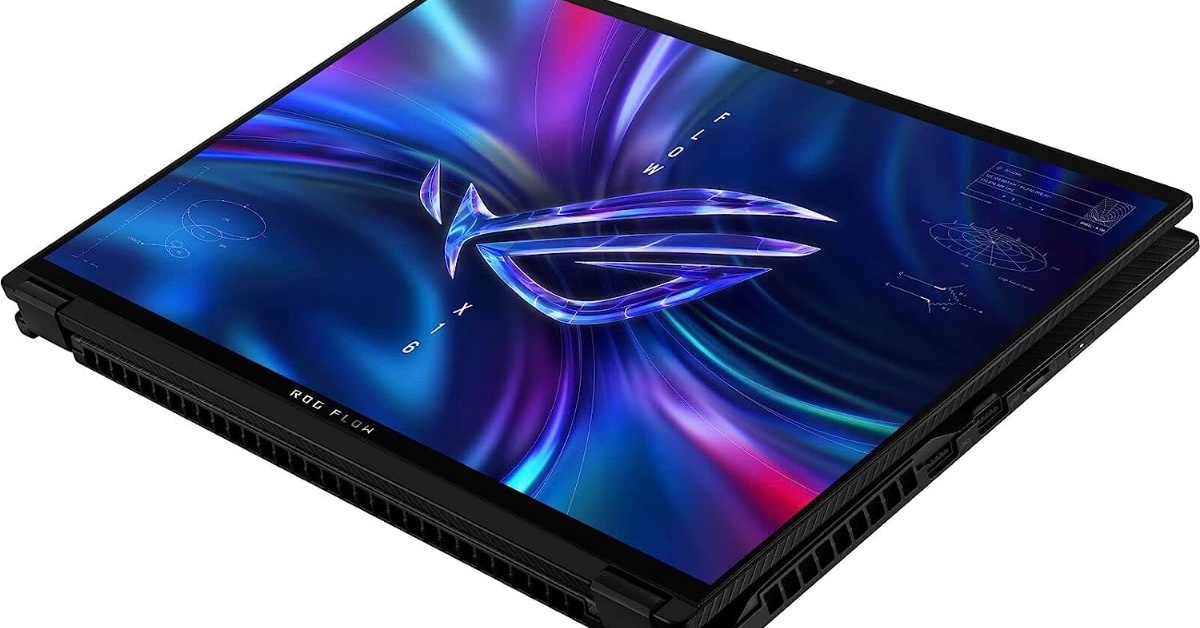
4 Best Mini-LED Laptops in 2023

Regardless of whether you’re gaming or just need an excellent display, our recommendation for the best Mini-LED laptops in 2023 that you can buy should help.

Read More
2-in-1 gaming laptop 2-in-1 Laptops

4 Best 2-In-1 Gaming Laptops

2-in-1 gaming laptops do exist. Certain 2-in-1 laptops have beefy specs that make them viable for modern gaming.

Read More
AMD motherboard image Buying Guides

5 Best AMD Motherboards in 2023

Going full AMD on the processor front is now more appealing than ever since AM5 is a fresh new platform. For that matter, you’d need the best AMD motherboards.

Read More
motherboard image Buying Guides

5 Best Intel Motherboards in 2023

You still can’t go wrong with an Intel PC build, and to ensure that, we’ll be recommending the best Intel motherboards in 2023.

Read More

Tech News

EU Requiring Smartphones To Have Removable Batteries | What Does This Mean for the Future of Tech?

Removable batteries in smartphones are coming back in EU. Let’s discuss its implications on future technology trends and it’s impact on sustainability.

Read More
asus rog ally vs steam deck

Asus ROG Ally vs Steam Deck: The Handheld PC Platform Is About To Be a Battlefield

What Happened to The iPhone Mini? Discontinued or on Hiatus?

Should You Update to iOS 16 Now? New Features and Issues So Far

MacBook air image
Gaming Laptop

4 Best 13-inch Laptops in 2023

Who could endure lugging around an 18-inch monster in the urban jungle? That’s why we’re recommending the best 13-inch laptops for 2023.

Read More

Best Laptops

laptop zoom meeting

5 Laptops With The Best Webcams

This guide helps you find laptops with the best webcams this 2023. Say goodbye to your pixelated zoom calls and livestreams!

Read More

laptops for low income families

4 Best Laptops in 2023 for Low Income Families

Looking for laptops for low income families in 2023? We’ve taken a look at the best laptops you can get at an affordable price. Check it out!

Read More

laptops for travel

The 4 Best Laptops for Your Travel Needs

What are the best laptops for travel, vacation, and working abroad? We’ve taken a look at the best laptops across budget ranges. Check out this list!

Read More

4 Best Laptops With Stylus Pen Models

Laptops with stylus pens have been a game changer for artists because of their touchscreen display. Not only is it a personal computer, it’s also a tablet!

Read More

laptops for Email building

The Best Laptops for Email Builders and Experts in 2023

What are the best laptops for email building, exploring the internet, and creating marketing campaigns? Check out this list for a quick guide!

Read More
laptop power bank

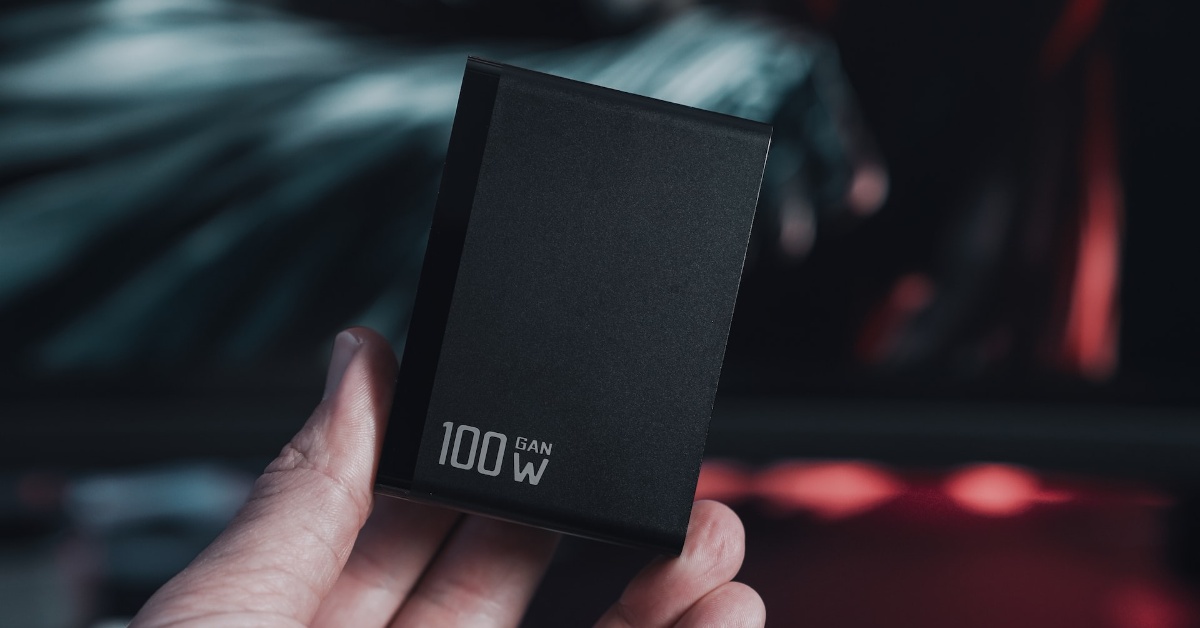
5 Best Laptop Power Banks for People on the Move

Instead of nesting near a Starbucks for power outlets during your “mobile work,” you could look into more freeing solutions, such as laptop power banks.

Read More

Primary Sidebar

Latest

White screen image

All Display Panel Types | Ranked From Worst To Best

Windows Update screen

How to Disable Automatic Updates in Windows: A Step-by-Step Guide

DLSS vs FSR

DLSS vs FSR: Which Upscaling Method Is Better?

rx-7800-xt blazing image

Is the AMD Radeon RX 7800 XT Worth It?

Categories

  • 2-in-1 Laptops
  • Buying Guides
  • Chromebooks
  • Gaming Consoles
  • Gaming Laptop
  • Gaming PC
  • Keyboards
  • Knowledge Hub
  • Laptop Accessories
  • Laptop Facts
  • Laptops
  • News
  • Reviews
  • Smartphones
  • Software

Tags

2-in-1 laptops 4k amd android apple budget laptops buying guide chromebook CPU Dell Featured gaming gaming laptop gaming laptops gaming mouse gaming PC Genshin Impact gpu graphics card intel iPhone keyboard keyboards laptop laptop accessories laptops mechanical keyboard mechanical keyboards memory monitor mouse Nvidia PC productivity RAM smartphones SSD steam deck storage tablets TV virtual reality vr wfhlaptop Windows

Copyright © 2025 · New Saga Media, LLC